
# RapidFloatingActionButton
[](https://maven-badges.herokuapp.com/maven-central/com.github.wangjiegulu/rfab) [](http://www.apache.org/licenses/LICENSE-2.0) 
[](https://blog.wangjiegulu.com) [](https://twitter.com/wangjiegulu)
Quick solutions for Floating Action Button,RapidFloatingActionButton(RFAB)
# How to use:
Dependencies:
[AndroidBucket](https://github.com/wangjiegulu/AndroidBucket):The base library
[AndroidInject](https://github.com/wangjiegulu/androidInject):The Inject library
[ShadowViewHelper](https://github.com/wangjiegulu/ShadowViewHelper):Shadow layout, shadow view for android
[NineOldAndroids](https://github.com/JakeWharton/NineOldAndroids):The Property Animation library for pre android 3.0
**Newest version:** [](https://maven-badges.herokuapp.com/maven-central/com.github.wangjiegulu/rfab)
### Gradle:
```groovy
compile 'com.github.wangjiegulu:rfab:x.x.x'
```
### Maven:
```xml
com.github.wangjiegulu
rfab
x.x.x
```
## activity_main.xml:
```xml
xmlns:rfal="http://schemas.android.com/apk/res-auto"
android:id="@+id/activity_main_rfal"
android:layout_width="match_parent"
android:layout_height="match_parent"
rfal:rfal_frame_color="#ffffff"
rfal:rfal_frame_alpha="0.7"
>
xmlns:rfab="http://schemas.android.com/apk/res-auto"
android:id="@+id/activity_main_rfab"
android:layout_width="wrap_content"
android:layout_height="wrap_content"
android:layout_alignParentRight="true"
android:layout_alignParentBottom="true"
android:layout_marginRight="15dp"
android:layout_marginBottom="15dp"
android:padding="8dp"
rfab:rfab_size="normal"
rfab:rfab_drawable="@drawable/rfab__drawable_rfab_default"
rfab:rfab_color_normal="#37474f"
rfab:rfab_color_pressed="#263238"
rfab:rfab_shadow_radius="7dp"
rfab:rfab_shadow_color="#999999"
rfab:rfab_shadow_dx="0dp"
rfab:rfab_shadow_dy="5dp"
/>
```
Add`` at outermost layout of RFAB(``)
### Properties
#### RapidFloatingActionLayout:
- **rfal_frame_color**: Frame color when expand RFAB,default is white color
- **rfal_frame_alpha**: Frame color alpha(0 ~ 1) when expand RFAB,default is 0.7
#### RapidFloatingActionButton:
- **rfab_size**: The size of RFAB,only support two size(Material Design):
- normal: diameter 56dp
- mini: diameter 40dp
- **rfab_drawable**: The drawable of RFAB,default drawable is "+"
- **rfab_color_normal**: Normal status color of RFAB。default is white
- **rfab_color_pressed**: Pressed status color of RFAB。default is "#dddddd"
- **rfab_shadow_radius**: Shadow radius of RFAB。default is 0(no shadow)
- **rfab_shadow_color**: Shadow color of RFAB。default is transparent. it will be invalid if the rfab_shadow_radius is 0
- **rfab_shadow_dx**: The shadow offset of RFAB(x-axis)。default is 0
- **rfab_shadow_dy**: The shadow offset of RFAB(y-axis)。default is 0
## MainActivity:
```java
@AILayout(R.layout.activity_main)
public class MainActivity extends AIActionBarActivity implements RapidFloatingActionContentLabelList.OnRapidFloatingActionContentLabelListListener {
@AIView(R.id.activity_main_rfal)
private RapidFloatingActionLayout rfaLayout;
@AIView(R.id.activity_main_rfab)
private RapidFloatingActionButton rfaBtn;
private RapidFloatingActionHelper rfabHelper;
@Override
protected void onCreate(Bundle savedInstanceState) {
super.onCreate(savedInstanceState);
RapidFloatingActionContentLabelList rfaContent = new RapidFloatingActionContentLabelList(context);
rfaContent.setOnRapidFloatingActionContentLabelListListener(this);
List items = new ArrayList<>();
items.add(new RFACLabelItem()
.setLabel("Github: wangjiegulu")
.setResId(R.mipmap.ico_test_d)
.setIconNormalColor(0xffd84315)
.setIconPressedColor(0xffbf360c)
.setWrapper(0)
);
items.add(new RFACLabelItem()
.setLabel("tiantian.china.2@gmail.com")
.setResId(R.mipmap.ico_test_c)
.setIconNormalColor(0xff4e342e)
.setIconPressedColor(0xff3e2723)
.setLabelColor(Color.WHITE)
.setLabelSizeSp(14)
.setLabelBackgroundDrawable(ABShape.generateCornerShapeDrawable(0xaa000000, ABTextUtil.dip2px(context, 4)))
.setWrapper(1)
);
items.add(new RFACLabelItem()
.setLabel("WangJie")
.setResId(R.mipmap.ico_test_b)
.setIconNormalColor(0xff056f00)
.setIconPressedColor(0xff0d5302)
.setLabelColor(0xff056f00)
.setWrapper(2)
);
items.add(new RFACLabelItem()
.setLabel("Compose")
.setResId(R.mipmap.ico_test_a)
.setIconNormalColor(0xff283593)
.setIconPressedColor(0xff1a237e)
.setLabelColor(0xff283593)
.setWrapper(3)
);
rfaContent
.setItems(items)
.setIconShadowRadius(ABTextUtil.dip2px(context, 5))
.setIconShadowColor(0xff888888)
.setIconShadowDy(ABTextUtil.dip2px(context, 5))
;
rfabHelper = new RapidFloatingActionHelper(
context,
rfaLayout,
rfaBtn,
rfaContent
).build();
}
@Override
public void onRFACItemLabelClick(int position, RFACLabelItem item) {
Toast.makeText(getContext(), "clicked label: " + position, Toast.LENGTH_SHORT).show();
rfabHelper.toggleContent();
}
@Override
public void onRFACItemIconClick(int position, RFACLabelItem item) {
Toast.makeText(getContext(), "clicked icon: " + position, Toast.LENGTH_SHORT).show();
rfabHelper.toggleContent();
}
}
```
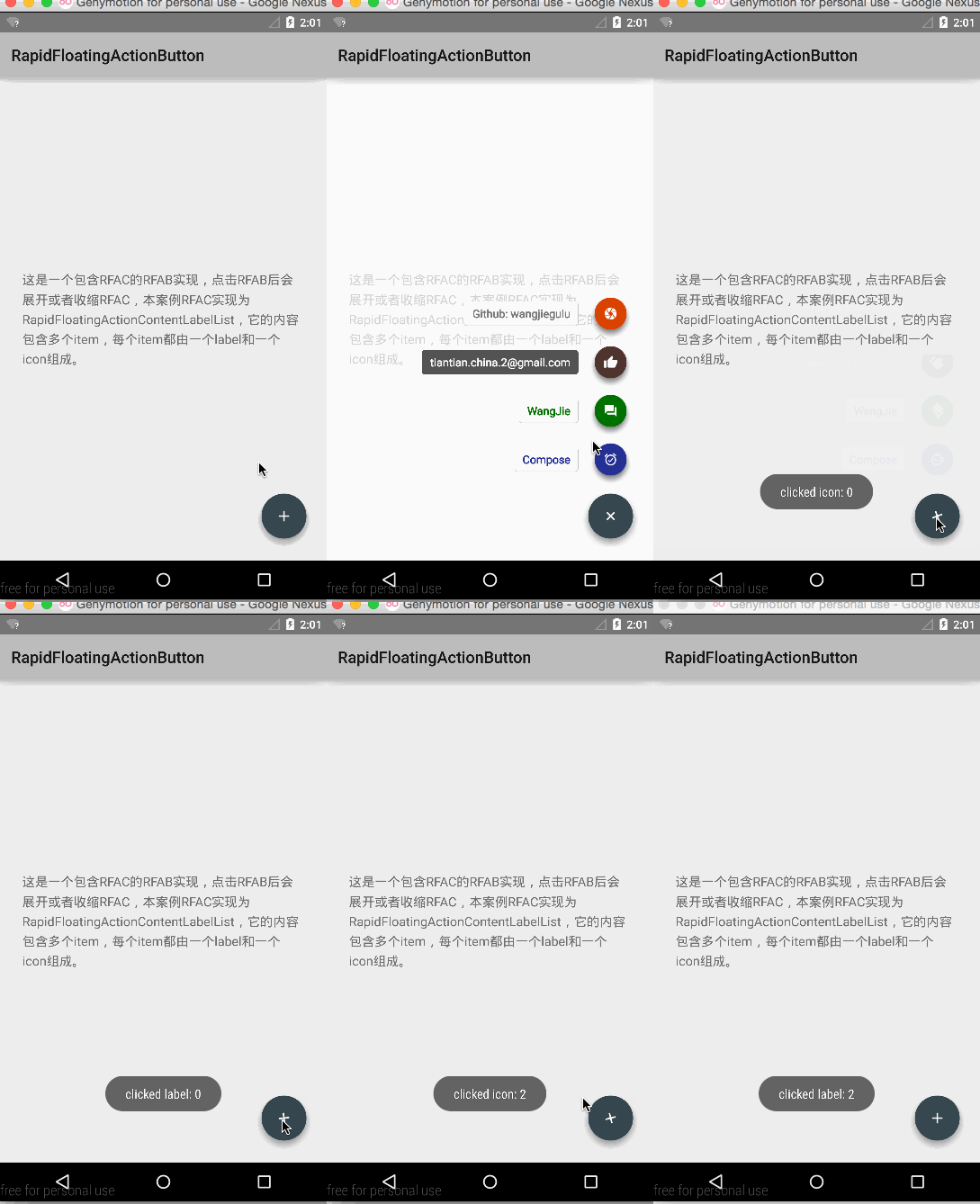
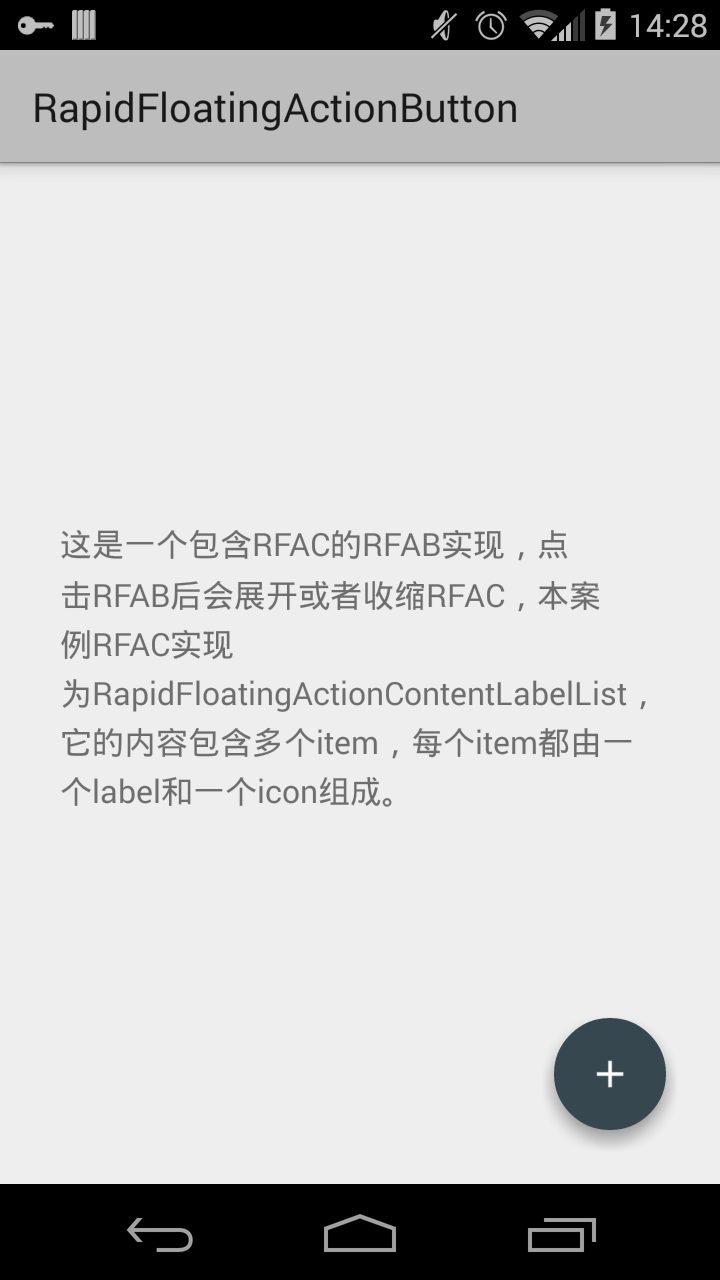
RFAB also needs an implementation of `RapidFloatingActionContent` to fill and assign content of RFAB when it expands.
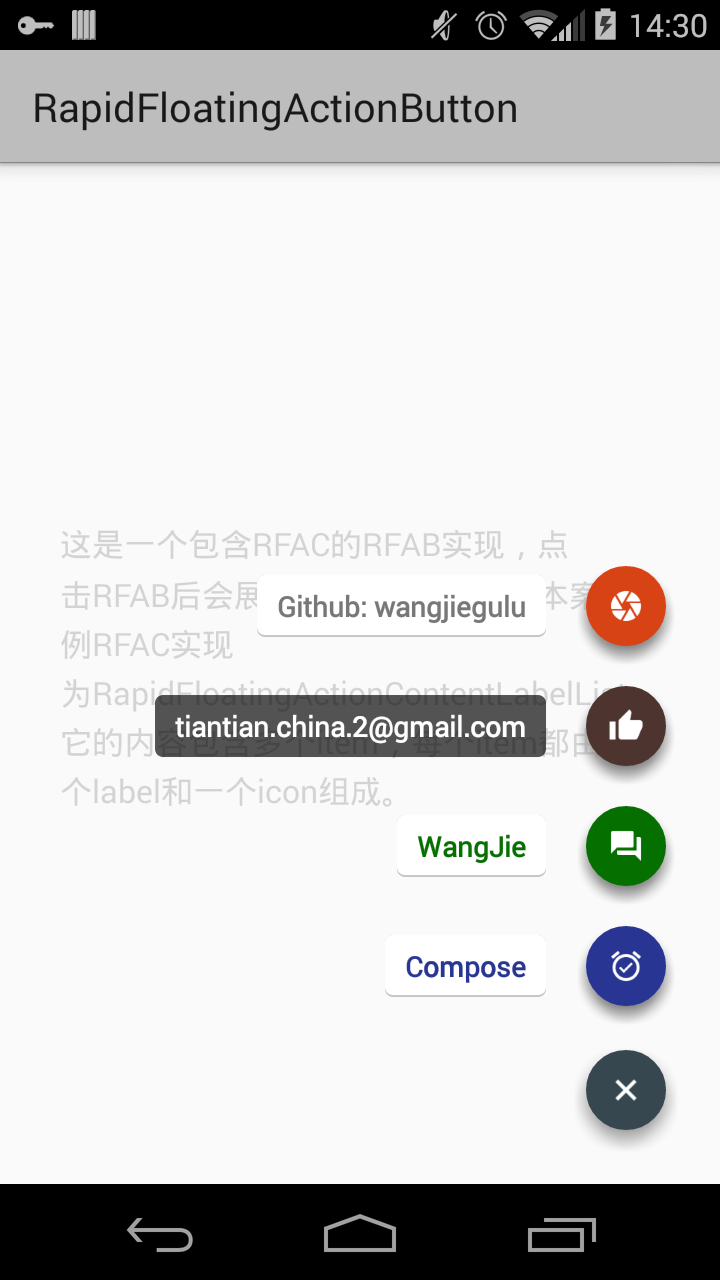
Here is a quick solution of `RapidFloatingActionContent`:`RapidFloatingActionContentLabelList`.You can add some items(RFACLabelItem,of course not recommended to add too many items),and config color, drawable, shadow, background image, text size, color of label and animation of each item.
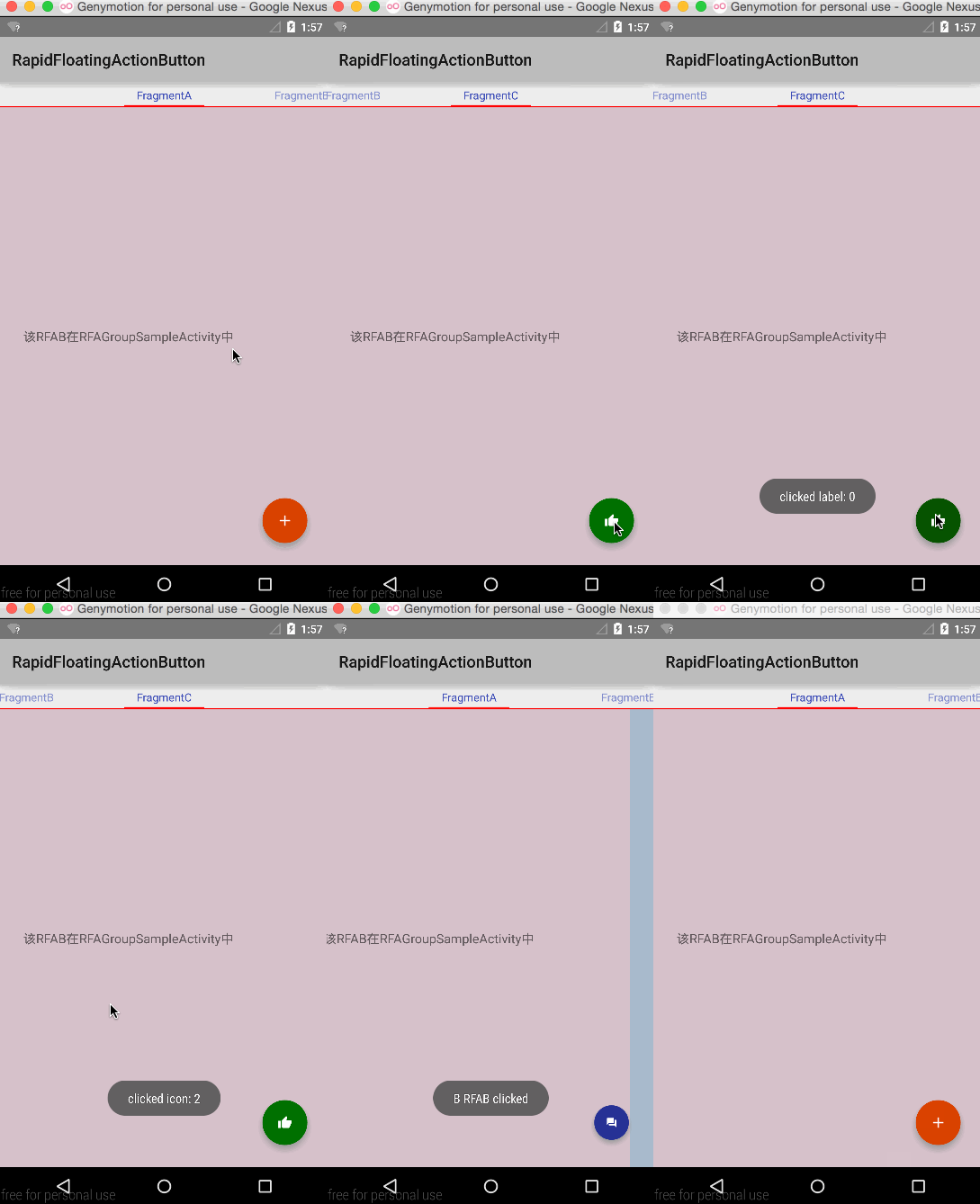
To preview the demo: [The top picture effects](https://github.com/wangjiegulu/RapidFloatingActionButton/tree/master/screenshot) or [Inbox of Google](https://play.google.com/store/apps/details?id=com.google.android.apps.inbox).
At last,you need combine them by `RapidFloatingActionButtonHelper`.
# About expand style:
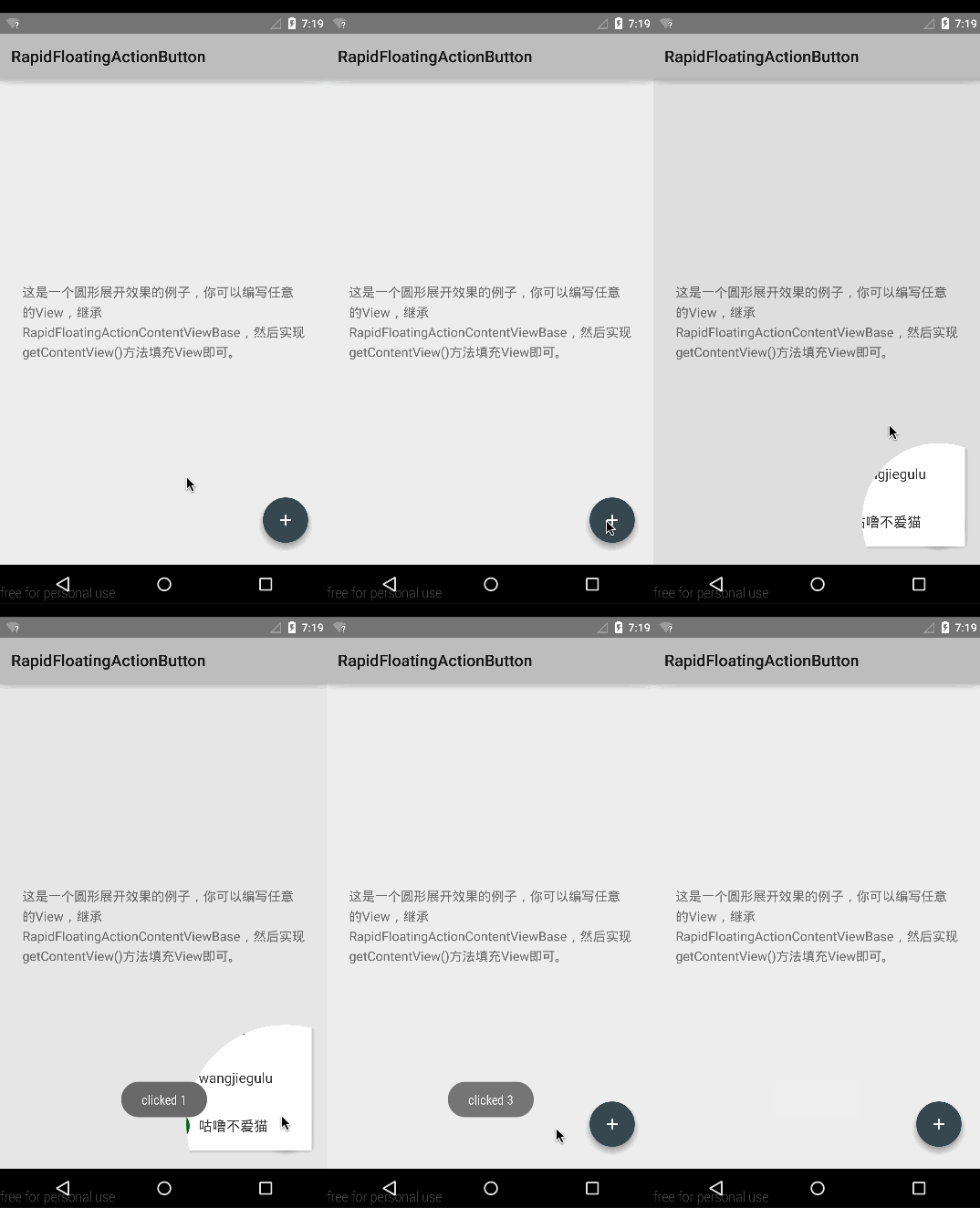
If you don't like `RapidFloatingActionContentLabelList`,you can expand your content style. Extend `com.wangjie.rapidfloatingactionbutton.RapidFloatingActionContent`, initialize the content layout and style,and invoke `setRootView(xxx);` method. If you want to add more animations,override those methods:
```java
public void onExpandAnimator(AnimatorSet animatorSet);
public void onCollapseAnimator(AnimatorSet animatorSet);
```
add your animations to the animatorSet.
License
=======
```
Copyright 2015 Wang Jie
Licensed under the Apache License, Version 2.0 (the "License");
you may not use this file except in compliance with the License.
You may obtain a copy of the License at
http://www.apache.org/licenses/LICENSE-2.0
Unless required by applicable law or agreed to in writing, software
distributed under the License is distributed on an "AS IS" BASIS,
WITHOUT WARRANTIES OR CONDITIONS OF ANY KIND, either express or implied.
See the License for the specific language governing permissions and
limitations under the License.
```


网友评论